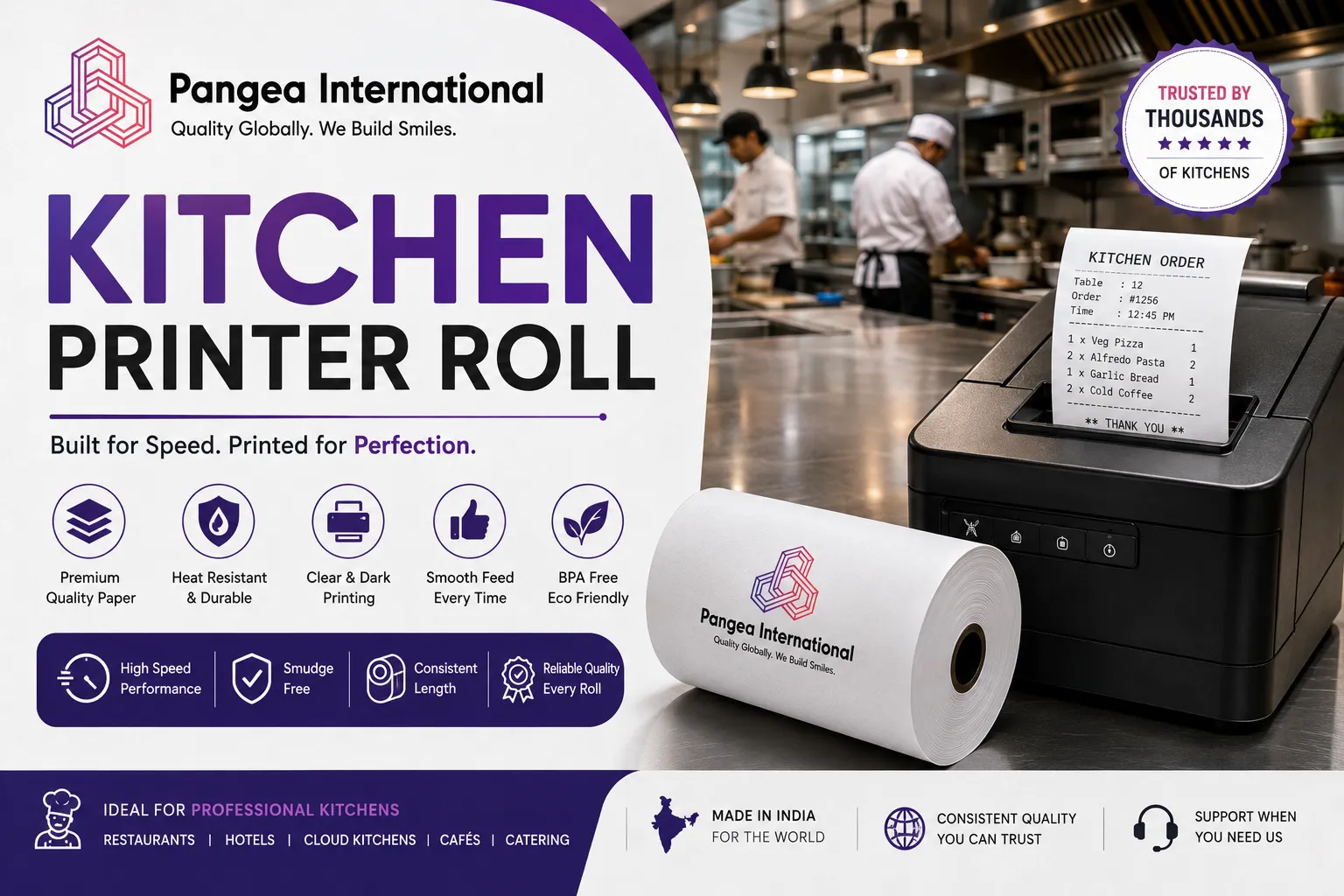
Walk into any busy restaurant kitchen during a dinner rush, and somewhere near the pass you'll find a printer spitting out order tickets faster than the line cooks can read them. That printer depends entirely on one small, unglamorous consumable: the kitchen printer roll. Get it wrong, and orders come out faded, jam mid-rush, or simply don't print at all, right when the kitchen can least afford the disruption.
We are Pangea retails, a manufacturer and exporter of thermal paper products supplying restaurants, hotels, and food service businesses across the USA, UK, UAE, Oman, Kuwait, and Qatar. We've spent years helping kitchens choose the right paper for their order printers, and if there's one thing we've learned, it's that this product faces conditions no ordinary receipt counter ever has to deal with: heat, steam, grease, and constant handling by staff moving at full speed.
Maybe you're reading this because tickets have been fading mid-service lately. Maybe you're planning a hardware upgrade and trying to decide whether to switch technologies entirely. Either way, what follows isn't a sales pitch dressed up as an article, it's the same walkthrough we'd give a customer on a call, written down so you can reference it whenever your kitchen needs it.
This guide explains exactly what this product is, why kitchens have historically used a different paper technology than the checkout counter, why that's changing, and how to choose the right specification for your kitchen's actual conditions. By the end, you'll know precisely what to ask a supplier before your next order.
What Is a Kitchen Printer Roll, Exactly?
A kitchen printer roll is the paper loaded into the printer that produces order tickets in a restaurant's kitchen, typically stationed near the pass or at individual cooking stations, printing what the front-of-house staff or POS system has entered as a customer's order. Unlike a customer-facing receipt, a kitchen ticket doesn't need to look polished, but it absolutely needs to be legible under kitchen lighting, resistant to the occasional splash or steam exposure, and reliable enough to survive a printer running non-stop through a busy service without a single misfire.
Here's what makes this product different from a standard POS receipt roll: the environment it operates in. A checkout counter is relatively clean, dry, and climate-controlled. A kitchen is hot, humid, greasy, and full of exactly the conditions that stress paper and printing technology the most. This single difference is why the choice of paper technology here deserves more thought than most restaurant owners give it.
Thermal vs Non-Thermal Kitchen Printer Roll: Why the Distinction Matters More Here Than Anywhere Else
This is the single most important decision in this entire product category, and it's one most buyers never realise they're making until something goes wrong mid-service. A kitchen printer roll comes in two fundamentally different technologies, and picking the wrong one for your specific printer and kitchen environment causes more frustration than any other mistake covered in this guide.
Non-thermal kitchen printer rolls, sometimes called bond paper or carbonless paper, use an impact printer that strikes an ink ribbon against the paper, similar to older dot-matrix technology used in many other industries for decades before thermal printing became widespread. These rolls come in 1-ply bond for single copies, or 2-ply and 3-ply carbonless formats that produce an instant duplicate or triplicate without any extra printing step, useful for kitchens that need a retained copy alongside the ticket sent to the cooking station.
Thermal kitchen printer rolls, by contrast, use the same heat-activated technology found in most modern POS receipt printers. No ink, no ribbon, just a heat-sensitive coating that reacts with the print head to produce dark text almost instantly, transaction after transaction, ticket after ticket. This is the technology increasingly found in newer kitchen display and order printing systems, and it's the category Pangea retails manufactures.
Why Kitchens Have Traditionally Used Non-Thermal Paper
There's a genuinely practical reason non-thermal kitchen printer rolls became the standard for so long, and it comes down to exactly the environment described earlier. Standard thermal coating is heat-sensitive by design, which is exactly how it produces text, but that same sensitivity means it can react prematurely when exposed to the ambient heat, steam, and occasional grease splatter common near a stove, fryer, or grill station.
An older-generation thermal roll placed too close to a heat source could develop faint grey patches or fade unpredictably before it was ever printed on, a problem non-thermal bond and carbonless paper simply doesn't share, since it relies on mechanical ink transfer rather than a heat-reactive coating. For decades, this made non-thermal paper the safer, more reliable choice specifically for kitchen environments, even as thermal technology took over almost everywhere else in retail and hospitality.
This history also explains why so many established restaurant chains still run legacy impact printers today, even as newer technology has become available. Once a kitchen standardises on non-thermal equipment across dozens or hundreds of locations, the cost and disruption of a wholesale hardware switch is significant enough that most operators simply wait for natural equipment replacement cycles rather than forcing an early transition, which is exactly the pattern described in the case study covered later in this guide.
Why Thermal Kitchen Printer Rolls Are Now Increasingly Common
Coating chemistry has improved substantially since those early heat-sensitivity concerns became conventional wisdom across the industry. A well-manufactured, export-grade thermal roll today uses a more heat-stable formulation than the thermal paper of a decade ago, specifically engineered to resist premature activation from ambient kitchen heat rather than only from direct printer head contact.
This matters because thermal kitchen printer rolls offer real advantages once heat-resistance is addressed: faster printing during a busy rush, no ink ribbons to replace mid-service, quieter operation, and lower ongoing consumable costs since there's no separate ink cost to factor in. Many newer kitchen display and order printing systems are built around thermal technology specifically because of these advantages, and the paper technology has genuinely caught up to make this a reliable choice, provided you're sourcing a proper heat-resistant, export-grade product rather than standard economy-grade stock never designed for this environment in the first place.
Pangea retails manufactures its thermal kitchen printer roll range specifically with this heat-resistance in mind, which is exactly why restaurant groups across our export markets have increasingly standardised on thermal rather than continuing with legacy non-thermal formats.
Sizes and Specs: What the Numbers Mean for a Kitchen Printer Roll
Width is the most important specification, since it determines whether this paper fits your specific printer at all. The most common width across kitchen order printers is 3 inches (roughly 76-80mm), though 2 1/4 inch rolls appear in more compact kitchen display setups, and specialty printers occasionally require other widths entirely.
|
Width |
Typical Kitchen Application |
Common Formats |
|
3" / 80mm |
Standard kitchen order printers, most common by far |
Thermal or non-thermal, 150'-230' lengths |
|
2 1/4" / 57mm |
Compact kitchen display systems, smaller stations |
Thermal, 50'-200' lengths |
|
4 3/8" |
Specialty wide-format kitchen ticket printers |
Less common, longer runs |
Length varies considerably depending on ply count and paper technology. A non-thermal 1-ply bond kitchen printer roll typically runs 150-165 feet, while 2-ply or 3-ply carbonless versions of the same width run somewhat shorter, since the additional layers take up more physical space per wind, leaving less room for length within the same overall roll diameter. Thermal versions, being single-layer, often run longer at the same outer diameter, commonly 200-230 feet at the standard 3-inch width.
Core diameter matters just as much as width, and it's worth confirming against your specific printer model rather than assuming, since kitchen printers from different manufacturers, Epson, Star, MICROS, and others, don't always use identical core sizing even at the same paper width.
Ply Count Explained: 1-Ply, 2-Ply, and 3-Ply Kitchen Printer Roll Options
For non-thermal kitchen printer rolls specifically, ply count determines how many copies a single ticket produces. A 1-ply bond kitchen printer roll produces a single ticket, suitable for kitchens that don't need a retained duplicate. A 2-ply carbonless kitchen printer roll, typically in white and canary yellow layers, produces an original and one copy, useful for kitchens that want to retain a record separate from the ticket sent to a cooking station. A 3-ply version extends this to three simultaneous copies, less common but used in some larger or multi-station kitchen operations.
Thermal versions don't use ply count in the same sense, since there's only one layer of coated paper involved. Kitchens wanting a duplicate record from a thermal system typically rely on the POS software itself to print a second ticket or retain a digital log, rather than a physical carbon-copy layer built into the paper.
Machine Compatibility: Epson, Star, and Legacy Kitchen Printer Systems
Most modern thermal kitchen printer roll compatibility centres around a handful of major manufacturers. Epson's TM series and Star's SP and TSP series both offer thermal kitchen printing options, and the paper width and core requirements are generally consistent within each manufacturer's product line, though it's always worth confirming your exact model before a bulk order.
Beyond the two dominant brands, several POS hardware manufacturers now bundle kitchen printing capability directly into their broader system offerings, sometimes under their own branding even when the underlying print mechanism is licensed from one of the established manufacturers. If your kitchen printer came bundled with a specific POS software package rather than purchased as standalone hardware, it's worth checking the printer's actual manufacturer label rather than assuming the paper specification follows the POS software brand name.
Older, legacy kitchen printer systems, including many MICROS impact printers still in service across established restaurant chains, remain built specifically around non-thermal bond or carbonless paper and cannot be retrofitted to accept a thermal roll without replacing the actual hardware. If your kitchen is running this kind of legacy equipment, non-thermal remains the correct and, frankly, only compatible choice until the hardware itself is upgraded.
Troubleshooting: Why Do My Kitchen Tickets Keep Fading or Jamming?
Let's work through this like a checklist, since most complaints we hear about this product trace back to one of a handful of predictable causes, and correctly diagnosing which one you're dealing with saves considerable time during a busy service when nobody has a spare minute to spend on guesswork.
Tickets print faint or patchy on a thermal system almost always points to either inconsistent coating quality or heat exposure during storage, rather than a printer fault. Before assuming your machine needs servicing, check where your stock has been stored and try a fresh roll from a different, known-reliable batch.
Tickets fade within hours rather than staying legible through a shift on a thermal system usually means the paper wasn't formulated with genuine heat resistance in mind, a common issue with economy-grade thermal stock never designed for kitchen conditions specifically.
Impact printer output looks weak or inconsistent on a non-thermal system typically points to a worn ink ribbon rather than a paper problem, though low-quality bond paper with an uneven surface can also produce inconsistent results even with a fresh ribbon.
Frequent jams on either system usually traces back to a core diameter mismatch or, for non-thermal carbonless paper specifically, layers that have shifted or separated slightly during shipping or storage, causing uneven feeding through the printer.
If you're managing multiple kitchen locations and notice the same issue appearing across several at once, that's a strong signal the problem lies with a specific batch or specification, not the printers themselves, and it's worth raising directly with your supplier rather than treating each location as a separate, unrelated troubleshooting exercise.
Keeping a simple log of issues by location and date can also help identify patterns that might otherwise go unnoticed, particularly for restaurant groups managing dozens of kitchens where a genuine supply-side problem could easily be mistaken for a series of isolated, unrelated incidents at different sites.
Environmental Considerations for Food Service Businesses
Sustainability is becoming a more visible purchasing factor across food service generally, and paper consumables are no exception. Standard thermal-coated paper is genuinely difficult to recycle through conventional paper streams because of its chemical coating, while non-thermal bond and carbonless paper, though free of thermal coating, involves its own environmental considerations around ink and the additional material used in multi-ply formats, neither option being entirely without trade-offs worth understanding.
Choosing a well-manufactured, consistent product indirectly reduces waste in both categories, since fewer misprints and reprints occur compared to inconsistent, budget-grade stock that jams or fades partway through a busy service. Restaurant groups with formal sustainability commitments have started asking suppliers directly about base paper sourcing and coating chemistry as part of standard vendor evaluation, treating it as one measurable line item within a larger environmental framework alongside other kitchen consumables.
How to Choose the Right Kitchen Printer Roll for Your Business
Let's make this practical. Here's the process worth working through before placing an order.
Identify your printer's technology first. Check whether your kitchen printer is thermal or impact-based; this single fact determines almost everything else about which product you need.
Confirm width and core diameter. Even within thermal or non-thermal categories, exact specifications vary by manufacturer and model.
Decide on ply count if you're using non-thermal. Match this to whether your kitchen genuinely needs a retained duplicate copy or a single ticket is sufficient.
Ask about heat resistance if you're choosing thermal. Not all thermal paper is manufactured with kitchen conditions in mind, so confirm your supplier's formulation is genuinely suited to ambient heat exposure, not just standard indoor use.
Request a sample before bulk ordering. A short test run through your actual kitchen printer, ideally during a real service, tells you more than any specification sheet.
Here's a checklist worth keeping on hand:
-
[ ] Confirm whether your printer is thermal or non-thermal (impact)
-
[ ] Confirm exact width and core diameter against your printer's manual
-
[ ] Decide on ply count if using non-thermal bond or carbonless paper
-
[ ] Ask specifically about heat-resistant coating if choosing thermal
-
[ ] Ask about BPA-free certification for thermal options
-
[ ] Request a sample and test it during an actual busy service
-
[ ] Confirm shipping timelines and minimum order quantities for your location
BPA-Free Thermal Kitchen Printer Roll: Why It Matters for Food Service
Standard thermal coating has historically relied on Bisphenol A, or BPA, a chemical developer now restricted across the EU and several US states due to health concerns tied to repeated skin contact. Kitchen staff handling tickets constantly throughout a shift, often with hands that have just touched food, face genuinely relevant exposure considerations that food service businesses are increasingly expected to address.
A BPA-free thermal kitchen printer roll costs only marginally more than standard stock and performs identically in speed and darkness. For restaurants operating under food safety certifications or supplying kitchens within hotels, healthcare facilities, or corporate catering operations, BPA-free compliance is increasingly a baseline procurement requirement rather than optional. Pangea retails manufactures its entire thermal kitchen printer roll range as 100% BPA-free, with documentation available on request.
Real-World Examples: Where Different Kitchen Printer Roll Types Are Used
-
Quick-service restaurants: High order volume during rush periods, typically running thermal kitchen printer rolls for speed and lower ongoing consumable cost.
-
Full-service and fine dining kitchens: Often running a mix, with some stations on legacy impact printers and others upgraded to thermal, depending on when equipment was last replaced.
-
Hotel banquet and catering kitchens: Frequently need duplicate tickets for coordination between kitchen and service staff, favouring 2-ply or 3-ply non-thermal formats where legacy hardware remains in place.
-
Ghost kitchens and delivery-only operations: Almost universally thermal, given the emphasis on speed and the absence of a traditional dine-in service pace.
-
Food trucks and mobile kitchens: Compact thermal kitchen printer rolls favoured for their smaller footprint and lack of ink ribbon replacement needs in a cramped space.
Each of these operations makes a slightly different calculation, but all of them depend on a paper roll that fits their specific printer, survives their specific environment, and doesn't run out mid-service.
It's worth noticing something else in that list too: the operations with the highest order volume, quick-service restaurants, ghost kitchens, are also the ones with the least tolerance for downtime. If you're running a low-volume fine dining kitchen printing a few dozen tickets a service, an occasional issue is a minor annoyance. If you're running a quick-service operation during a lunch rush processing an order every few seconds, the same issue becomes a genuine operational problem with orders backing up and customers waiting. Match how seriously you treat this sourcing decision to your actual order volume, and you'll rarely go wrong.
Case Study: A Restaurant Group's Switch from Non-Thermal to Thermal Kitchen Printer Roll
A multi-location restaurant group operating across several cities came to us after years of running legacy impact printers with non-thermal bond paper at every kitchen station. Ink ribbon replacement had become a recurring operational headache, staff frequently ran out mid-service, and the ongoing cost of ribbons alongside the paper itself was higher than management had realised until they actually totalled it up across all their locations for a full year.
After a hardware refresh introduced thermal-capable kitchen printers at several locations, the group switched to a heat-resistant, BPA-free thermal kitchen printer roll supplied by Pangea retails for those newly upgraded stations, while keeping non-thermal stock only for the remaining legacy printers not yet due for replacement, a phased approach that avoided disrupting the entire operation all at once.
Within the first quarter, the group reported meaningfully fewer mid-service consumable emergencies at the upgraded locations, since staff no longer needed to track and replace ink ribbons alongside paper stock. The overall consumable cost per location also declined once ribbon costs were removed from the equation entirely, even though the thermal roll itself carried a marginally higher per-roll price than the non-thermal paper it replaced.
The group's operations director told us the transition also reduced training overhead for new kitchen staff, since loading a thermal roll is simpler than threading paper through an impact printer's ribbon mechanism correctly, a small but genuinely useful benefit during the high staff turnover common in food service.
Eighteen months on, the remaining legacy stations are being phased out as hardware naturally reaches end of life, with each replacement printer coming with thermal capability by default. The operations director noted that the transition, rather than being a single disruptive switch, ended up spreading naturally across normal equipment replacement cycles, which minimised both cost and operational disruption compared to a forced, all-at-once hardware refresh across every location simultaneously.
Why Standardisation Matters as Your Restaurant Group Grows
If you're running a single kitchen, choosing between thermal and non-thermal is a one-time decision with limited ongoing complexity. Scale that same decision across ten, twenty, or a hundred locations, some with legacy hardware, some recently upgraded, and the paper procurement question becomes considerably more complex without a clear, documented policy.
This is the pattern we see most often with growing restaurant groups: paper decisions made independently by individual location managers, based on whatever their specific printer happened to need at the time, create a fragmented procurement landscape that's genuinely difficult to manage centrally. New locations open, equipment gets upgraded at some sites but not others, and without a documented standard, purchasing becomes a location-by-location guessing game rather than a coordinated strategy.
The fix isn't complicated, but it does require someone to actually own it. Maintain a simple, shared specification sheet mapping every kitchen location to its current printer technology, thermal or non-thermal, along with exact width, ply count where relevant, and core size. Review it whenever a location upgrades equipment. This single document turns a fragmented, location-by-location purchasing pattern into a coordinated procurement strategy that can actually take advantage of bulk pricing across the whole group rather than each location buying independently at retail-equivalent pricing, often from whichever supplier happens to be geographically closest rather than the one offering the best overall value.
Advanced Tips for Sourcing Kitchen Printer Roll at Scale
Storage in a Hot, Greasy Kitchen Environment
Every roll in this category, thermal or non-thermal, needs storage away from direct heat sources, steam, and grease exposure, considerably more important here than for paper stored behind a typical retail counter. Keep stock in a dry area away from the cooking line itself, ideally in its original packaging until the moment it's loaded into a printer.
For thermal kitchen printer rolls specifically, avoid storing boxes near ovens, fryers, or dishwashing stations where ambient heat and steam are highest, since even a well-formulated heat-resistant coating benefits from reasonable storage conditions rather than being tested against the harshest possible environment unnecessarily.
Non-thermal bond and carbonless stock benefits from similar precautions, though for slightly different reasons. Excessive humidity can cause carbonless paper's pressure-sensitive layers to activate prematurely or stick together, while ink ribbons stored near heat sources can dry out faster than expected, reducing their effective print life even before they're loaded into a printer for the first time. Treating all kitchen paper consumables, paper and ribbons alike, with the same basic storage discipline pays off regardless of which technology your kitchen runs.
Bulk Buying and Consumable Cost Tracking
Consolidating purchases into a single scheduled bulk order typically reduces per-unit cost by somewhere in the range of 12-18%, based on what we've seen across food service businesses that make this switch. For non-thermal formats, remember to factor ink ribbon costs into your total consumable budget alongside the paper itself, since comparing paper price alone between thermal and non-thermal options misses a meaningful part of the true cost comparison.
Planning Around Service Volume
A busy kitchen during peak service can burn through this paper considerably faster than the same printer during a slow weekday lunch. Base your reorder planning on your busiest realistic period rather than an average, since running short during a Friday or Saturday dinner rush is precisely the moment your kitchen can least afford a paper problem.
Common Mistakes When Buying Kitchen Printer Roll
Assuming thermal and non-thermal are interchangeable. They require fundamentally different printer hardware, and one cannot substitute for the other regardless of matching width.
Not accounting for heat exposure when choosing thermal. Standard, non-heat-resistant thermal paper can underperform in a genuine kitchen environment, even if it works perfectly at a checkout counter.
Ordering the wrong ply count for non-thermal paper. A kitchen expecting a duplicate ticket but receiving 1-ply stock will find itself without the retained copy it actually needed.
Ignoring ribbon costs when comparing non-thermal pricing. A cheaper-looking non-thermal roll price can be misleading once ongoing ink ribbon replacement is factored into the true operating cost.
Not asking about BPA-free certification for thermal options. An increasingly relevant question for food service businesses, and one a serious supplier should answer immediately.
Comparing sticker price without accounting for ribbon costs. As covered in the cost comparison section above, a genuinely fair comparison between thermal and non-thermal needs to include ongoing consumables, not just the paper itself.
Assuming all thermal paper handles kitchen heat equally well. Standard thermal stock manufactured for a checkout counter isn't necessarily formulated for the ambient heat and steam of a kitchen environment, and this distinction matters more than most first-time buyers realise until they've experienced premature fading firsthand.
A Buyer's Quick-Reference Glossary
If you're new to sourcing paper for a commercial kitchen, a few terms come up repeatedly in supplier conversations that are worth understanding before your first order. Getting comfortable with this vocabulary early saves considerable back-and-forth once you're actually negotiating specifications with a potential supplier for the first time.
-
Direct thermal: The heat-activated printing technology requiring no ink or ribbon, used in modern thermal systems.
-
Impact printing: Older printing technology that strikes an ink ribbon against the paper, used with non-thermal bond and carbonless formats.
-
Bond paper: Standard 1-ply non-thermal paper producing a single copy per ticket.
-
Carbonless paper: Pressure-sensitive multi-ply paper producing an instant duplicate or triplicate without a separate print step.
-
GSM: Grams per square metre, the standard measure of paper weight, relevant to both thermal and non-thermal formats.
-
Heat-resistant coating: A thermal formulation specifically engineered to resist premature activation from ambient heat, relevant for kitchen environments specifically.
-
BPA-free: Coating manufactured without Bisphenol A, an increasingly standard expectation for institutional and food service buyers.
Walking into a supplier conversation already familiar with these terms tends to produce faster, more accurate quotes, since you can specify exactly what your kitchen needs rather than relying on a supplier to guess based on a vague description of your setup.
Building a Long-Term Supply Relationship for Your Kitchen
There's a meaningful difference between finding a supplier for a single order and building a relationship that actually supports your kitchen as it grows or upgrades equipment over time. The restaurant groups that get the most value from their paper sourcing tend to treat it less like a series of one-off transactions and more like an ongoing operational partnership, one that adapts as hardware, order volume, and locations all change over the life of the relationship.
What does that look like in practice? A supplier who understands your printer fleet, thermal, non-thermal, or a mix of both across different locations, without needing it re-explained every time you reorder. Proactive communication about potential supply disruptions before they become an emergency during a busy weekend. A willingness to support a phased transition, such as the hardware refresh covered in the case study above, rather than insisting on an all-or-nothing switch.
It also means honesty about what a given product can and can't do. A supplier who tells you upfront that your legacy impact printers simply cannot use thermal paper, rather than trying to sell you stock that won't work, is one worth continuing to work with as your kitchen's equipment evolves over subsequent years.
Kitchen Printer Roll and Kitchen Display Systems: What's Changing
Many restaurants are moving away from printed kitchen tickets entirely, adopting kitchen display systems, digital screens showing incoming orders in real time rather than a physical slip of paper at each station. Does this mean printed kitchen paper is becoming obsolete? It's a fair question, and one worth taking seriously rather than dismissing outright, given how much marketing attention digital kitchen systems have received in recent years.
Not as quickly as some of the marketing around digital kitchen systems suggests. Even restaurants that adopt a kitchen display system as their primary workflow frequently retain a printer as backup, particularly for stations without a dedicated screen, or as a fallback during system outages when a digital display simply isn't an option. Many operators also find that certain stations, particularly expediting and quality control points, still benefit from a physical printed ticket that can be marked up, stapled to a bag, or physically handed off in ways a screen cannot replicate.
The more realistic trend is a hybrid model: kitchen display systems handling the bulk of order flow at busy stations, with a kitchen printer roll still running as backup, for specific stations, or for printed documentation tied to delivery and takeout orders that need something physical attached to the packaging. For the foreseeable future, this means demand for reliable kitchen printer paper isn't disappearing, even as the overall proportion of orders flowing through printed tickets gradually declines at some operations.
True Cost Comparison: Thermal vs Non-Thermal Over a Year of Operation
Sticker price alone doesn't tell the full story when comparing these two technologies, and it's worth working through the actual numbers before assuming one option is automatically cheaper than the other for your specific kitchen and order volume.
Non-thermal paper typically carries a lower per-roll price than thermal, especially for basic 1-ply bond stock. But that comparison ignores the ongoing cost of ink ribbons, which need regular replacement and represent a genuine recurring expense that doesn't show up when you're only comparing paper prices side by side. Over a full year, a busy kitchen running an impact printer might spend a meaningful sum on ribbons alone, on top of whatever it spends on the bond or carbonless paper itself.
Thermal paper, while sometimes carrying a higher per-roll price upfront, particularly for heat-resistant, export-grade formulations, eliminates the ribbon cost entirely. For a kitchen printing high volumes during busy service periods, this difference compounds meaningfully over a year, and many operators find that thermal actually works out cheaper overall once ribbon costs are factored into the comparison honestly.
There's also a labour cost worth considering, even if it's harder to quantify precisely. Replacing an ink ribbon mid-service takes staff time and attention away from actual kitchen work, while reloading a thermal roll is typically a faster, simpler task. For operations with high staff turnover, the reduced training complexity of thermal systems, covered in the case study above, represents another cost saving that doesn't show up on a paper invoice but genuinely affects a kitchen's operational efficiency.
None of this means thermal is automatically the right choice for every kitchen. Legacy hardware that can't be retrofitted removes the choice entirely, and some operations genuinely value the multi-copy convenience of carbonless paper enough to prefer non-thermal even where thermal-capable hardware is available. But the decision should be based on a genuine total cost comparison, not just the price printed on a box of paper, and it's worth running these numbers specifically for your own kitchen's order volume rather than relying on a generic industry rule of thumb that may not reflect your particular operation's actual usage pattern.
Custom Printing and Branding for Kitchen Tickets
Some restaurant groups, particularly those with strong brand identity across multiple locations, choose to have their kitchen tickets pre-printed with a logo, station header, or standardised formatting to help staff quickly identify order types at a glance during a busy, fast-moving service. This is more commonly seen with thermal systems, where the printing process integrates naturally with existing POS software formatting, though basic pre-printed headers are also available for non-thermal bond stock.
Custom formatting for kitchen tickets typically involves configuring the POS or kitchen display software itself, rather than pre-printing the physical paper, since kitchen tickets change dynamically with each order in a way a customer receipt's fixed branding doesn't need to. For businesses wanting a consistent, professional appearance across every kitchen station, working with your POS software provider on ticket template design, alongside sourcing reliable paper from a manufacturer, covers both halves of the equation properly.
Where to Buy Kitchen Printer Roll: Why Pangea retails
Pangea retails manufactures 100% BPA-free thermal kitchen printer roll stock, formulated specifically with heat resistance in mind for genuine kitchen environments, backed by an established export track record across the USA, UK, UAE, Oman, Kuwait, and Qatar. For restaurants and food service businesses running thermal kitchen printing systems, we supply the widths and lengths covered throughout this guide, with consistent quality across every shipment.
Sourcing directly from a manufacturer rather than a reseller several steps removed from production means clearer answers about heat-resistant coating formulation and BPA-free compliance, plus pricing that improves as your order volume grows. Explore our full POS Rolls range or get in touch through our contact page to discuss specifications, volumes, and shipping timelines for your kitchen's specific printer setup.
Frequently Asked Questions About the Kitchen Printer Roll
What's the difference between a thermal and non-thermal kitchen printer roll?
A thermal kitchen printer roll uses heat-activated coating with no ink required, while a non-thermal roll relies on an ink ribbon and impact printing, and the two are not interchangeable since they require entirely different printer hardware.
Why did kitchens traditionally avoid thermal paper?
Older thermal coatings were prone to premature fading from ambient heat and steam common in kitchen environments, though modern heat-resistant, export-grade thermal formulations have largely addressed this limitation.
What size kitchen printer roll do most restaurants need?
The most common width is 3 inches, roughly equivalent to 80mm, though smaller 2 1/4 inch rolls appear in more compact kitchen display setups, so checking your specific printer's manual is the best way to confirm.
Is a BPA-free thermal kitchen printer roll available?
Yes, Pangea retails manufactures its entire thermal kitchen printer roll range as 100% BPA-free, with documentation available on request for restaurant groups and food service buyers.
How many copies does a 2-ply kitchen printer roll produce?
A 2-ply carbonless kitchen printer roll produces an original ticket plus one duplicate copy, typically in white and canary yellow layers, useful for kitchens needing a retained record alongside the cooking station ticket.
Conclusion: Choose the Right Kitchen Printer Roll, and Your Kitchen Runs Smoother
At the end of the day, a kitchen printer roll is a small consumable operating in one of the most demanding environments any paper product faces, heat, steam, grease, and constant high-speed handling during a busy service. Whether your kitchen runs thermal or non-thermal equipment, matching the right specification to your actual printer and conditions is what separates a kitchen that never thinks about this problem from one that fights it every single shift.
We know that's an unusual thing to promise in a buying guide, that success looks like thinking about this less, not more, but that's genuinely the outcome worth aiming for. The restaurant groups that handle this well aren't the ones with the most complicated procurement strategy; they're the ones who understood the thermal-versus-non-thermal distinction early, matched their paper to their actual hardware and environment, and moved on to running the rest of their kitchen without this particular headache resurfacing every few weeks.
Pangea retailshas built its thermal kitchen printer roll range specifically around the demands of genuine food service environments, so restaurants across our export markets can order with confidence rather than trial and error. If you're ready to standardise your kitchen's paper supply or simply want a sample before committing to a bulk order, our export team is ready to help. Reach out today, and let's keep your kitchen's tickets printing clearly through every single rush.